SuppDive Scan Screen - iOS App Interface
Screenshot shows iPhone displaying SuppDive's barcode scanner interface. The camera viewfinder is active, capturing a Vitamin C 1000mg dietary supplement bottle from a major brand. A green scanning frame highlights the barcode area with the instruction "Point camera at the barcode" displayed at top. The barcode visible is UPC 0-07206-01115-7. Bottom controls show: magnifying glass (search), barcode scanner button (centered, primary action), camera icon (label capture), and flash toggle. Navigation tab bar displays Home, Discover, Chat, and Settings icons. The interface demonstrates real-time product recognition capability for any supplement brand or barcode format.
Capture Any Supplement Label
Simply point your camera at any supplement bottle, label, or barcode. Our AI instantly identifies the product and begins deep research.
Works with any brand or product
Barcode and label scanning
Search supplements by name
SuppDive Real-Time Research Screen - iOS App Interface
Screenshot shows iPhone displaying SuppDive's live research progress interface. A green progress bar at 100% spans the top. The screen shows a chronological research log with expandable sections: "Found 20 studies" with explanation "We have identified a number of scientific studies related to the supplement's ingredients and their potential impact on cognitive health. We will now retrieve the detailed content of these promising studies to conduct a deeper analysis." Next: "Processed 8 studies" (expandable), "Thought for 3s" showing AI reasoning time, followed by "Found 36 webpages" with context "We have gathered several scientific studies. Next, we will search the web for additional data points regarding this supplement, including its quality, customer experiences, and any other relevant information to cross-reference our findings." Final status explains deeper analysis of web pages for quality assurance, customer experiences, and nuanced insights into cognitive effects and side effects. Green "View Report" button at bottom indicates research completion.
Real-Time Research Engine
Watch as our AI scans peer-reviewed studies, clinical trials, third-party testing results, and reputable sources to build your comprehensive analysis.
Peer-reviewed scientific papers
Clinical trial cross-referencing
Third-party testing verification
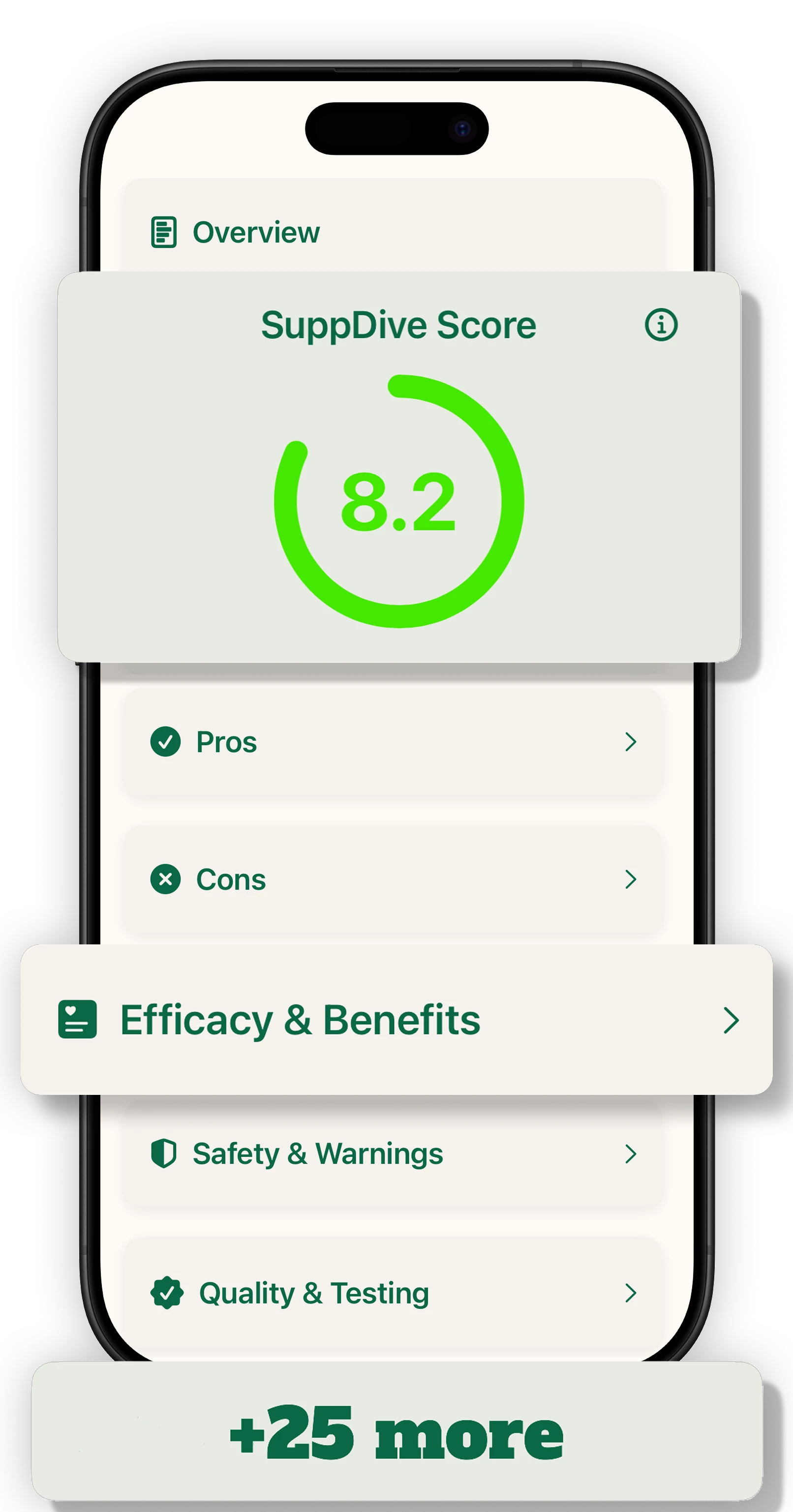
SuppDive Supplement Report Screen - iOS App Interface
Screenshot shows iPhone displaying SuppDive's comprehensive supplement report. Top section labeled "Overview" contains the prominent "SuppDive Score" card showing 8.2 out of 10 in a circular progress indicator with green gradient arc. An info button (i) provides score methodology. Below are expandable report sections as card rows: "Pros" (checkmark icon), "Cons" (X icon), "Efficacy & Benefits" (document icon, currently highlighted/expanded), "Safety & Warnings" (shield icon), and "Quality & Testing" (verified badge icon). Each row has a chevron indicating expandable content. Bottom indicator shows "+25 more" suggesting additional report sections available. The interface provides a structured, scannable format for evidence-based supplement analysis covering safety scores, ingredient efficacy, third-party testing certifications, and risk assessments.
Comprehensive Report
Every aspect that matters, distilled into one clear report. Safety scores, efficacy ratings, quality analysis, and evidence-backed insights.
Health scores and risk assessments
Ingredient-by-ingredient analysis
Pros, cons, and certifications
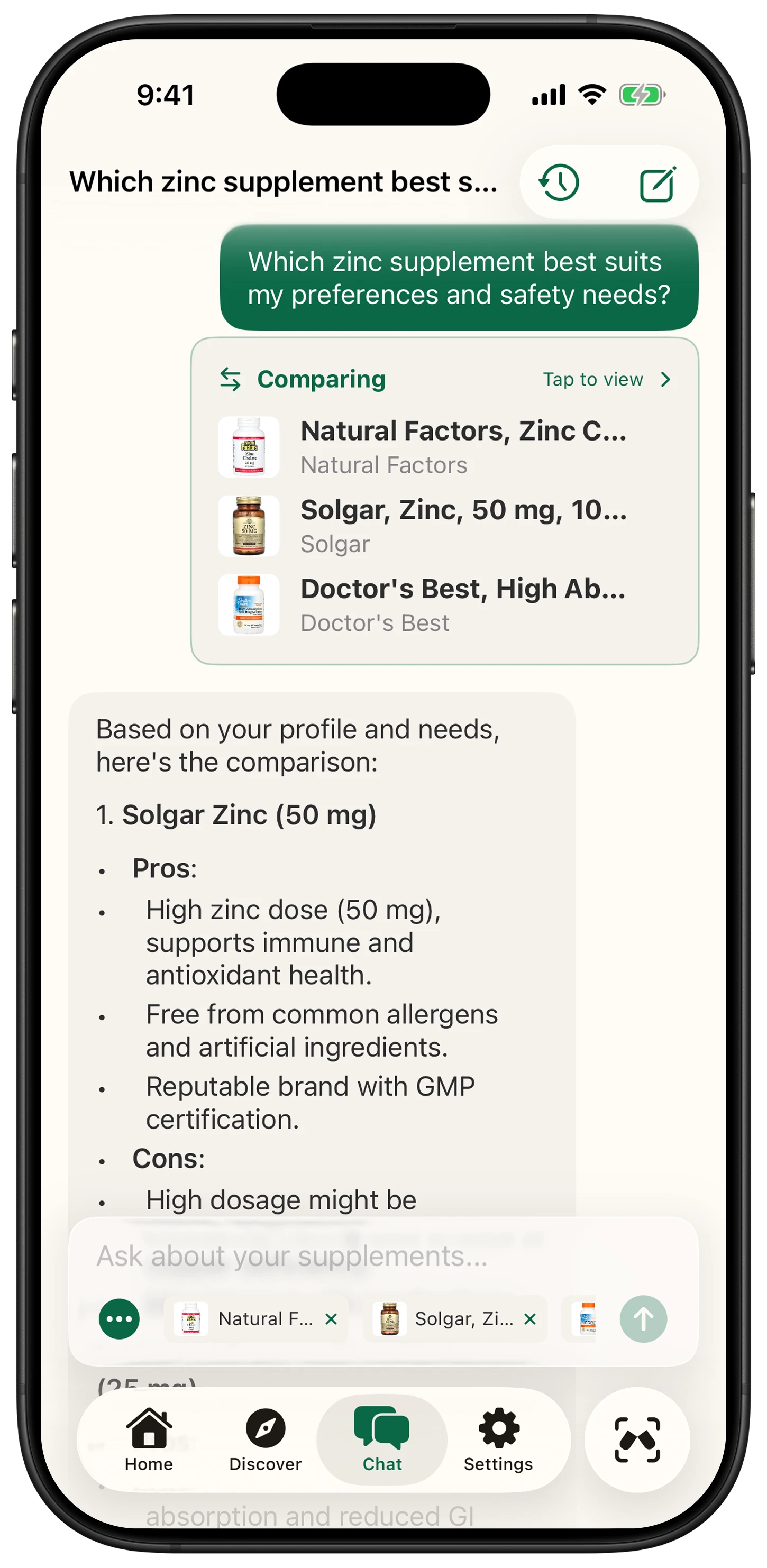
SuppDive AI Chat Screen 1 - Supplement Comparison Interface
Screenshot shows iPhone displaying SuppDive's AI chat assistant. Title bar shows "Which zinc supplement best s..." with history and new chat icons. User message bubble (green): "Which zinc supplement best suits my preferences and safety needs?" Below is a "Comparing" card with "Tap to view" link showing three supplements being analyzed: Natural Factors Zinc Chelate (Natural Factors brand), Solgar Zinc 50 mg (Solgar brand), and Doctor's Best High Absorption (Doctor's Best brand) - each with product thumbnail image. AI response begins: "Based on your profile and needs, here's the comparison:" followed by numbered analysis starting with "1. Solgar Zinc (50 mg)" with bullet points - Pros: High zinc dose (50 mg) supports immune and antioxidant health; Free from common allergens and artificial ingredients; Reputable brand with GMP certification. Cons: High dosage might be... (continues below). Chat input shows "Ask about your supplements..." placeholder with attached supplement chips (Natural F..., Solgar Zi...) and green send button. Navigation tab bar displays Home, Discover, Chat (active with filled icon), Settings, and scan button.
SuppDive AI Chat Screen 2 - Personalized Recommendation
Screenshot shows iPhone displaying continuation of AI chat response. Visible text continues: "...found; third-party testing is important for quality assurance." Then bold "Recommendation:" section provides personalized advice: "Based on your profile (light activity, excellent sleep, smoking), Natural Factors Zinc Chelate (25 mg) seems most suitable. It balances efficacy with lower risk, aligning well with your health goals and lifestyle." Alternative suggestion: "If you're prioritizing higher zinc intake for immune support, Solgar Zinc (50 mg) is an option, but consider monitoring your zinc levels and consulting a healthcare professional." Ends with disclaimer: "Always consult a healthcare professional for personalized advice." Below shows supplement result cards: Natural Factors (score 7 in orange circular progress), Doctor's Best (score 7), third card partially visible. This demonstrates on-device AI using user's health profile data to provide personalized, context-aware supplement recommendations while respecting privacy through local processing.
Chat With Your Data
Ask anything about your supplements. Our on-device AI combines your research with your health profile to deliver personalized, private insights.
100% on-device processing
Personalized health insights
Compare products side-by-side